Closed Captions vs Subtitles vs SDH: What Is the Difference?
Subtitles translate dialogue, closed captions describe every sound, and SDH combines both. Here is the difference, with examples, and how to pick the right track.

Índice
01The short version02Subtitles03Closed captions04SDH05Comparison table06Which should you choose?07Subtitles in BetterStreamOpen the subtitle menu of almost any video and you may see three kinds of track: Subtitles, CC and SDH. They look alike on screen, but they are written for different viewers. When people compare closed captions vs subtitles, the real question is simple: can the viewer hear the audio? Picking the right track can make a film easier to follow, or stop it from filling the screen with text you do not need.
The short version
- Subtitles assume you can hear the audio. They show the dialogue, usually in another language.
- Closed captions (CC) assume you cannot hear the audio. They show the dialogue and important sounds, music and who is speaking.
- SDH (Subtitles for the Deaf and Hard of hearing) are subtitles written like captions: dialogue plus sounds, in the subtitle style.
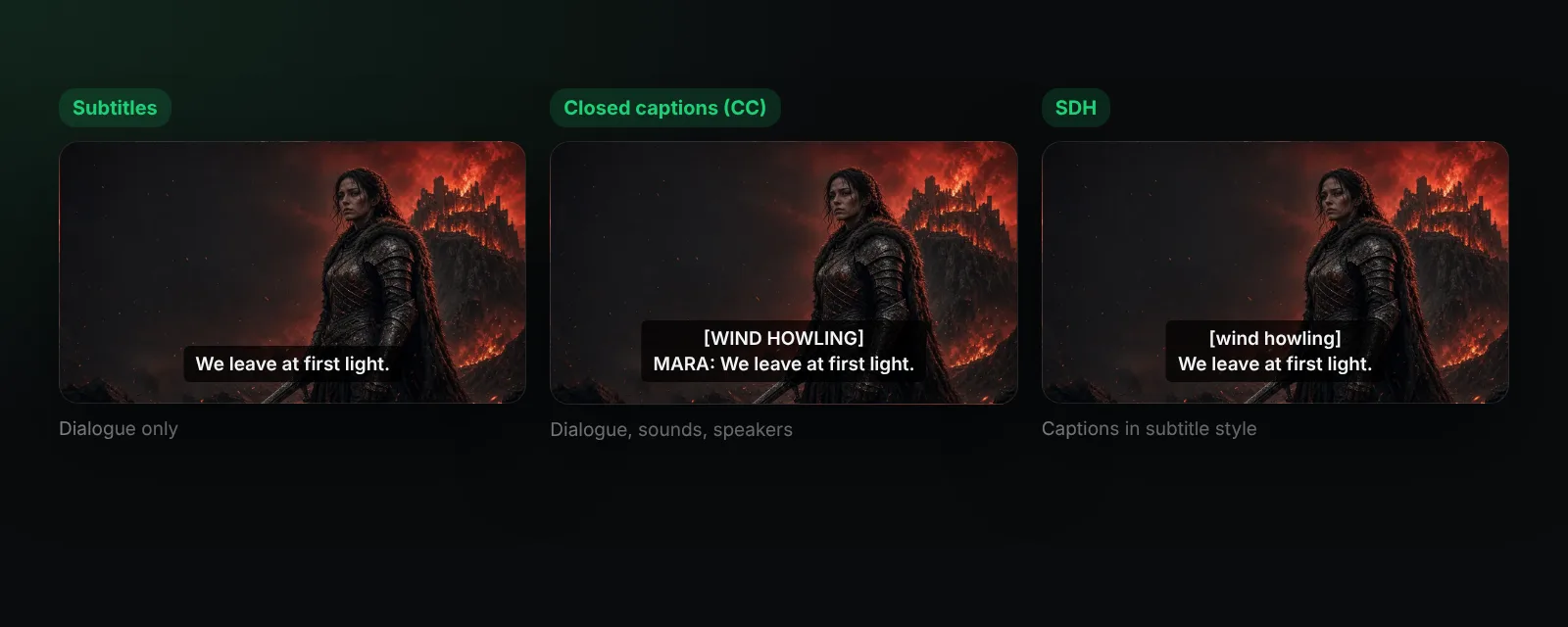
Subtitles
Subtitles are made for viewers who can hear but do not understand the spoken language, or who simply like reading along. They contain spoken words only:
We leave at first light.
Subtitles are usually a translation, though same-language subtitles are popular for accents, fast dialogue or language learning.
Closed captions
Captions describe everything you would miss without sound:
[WIND HOWLING] MARA: We leave at first light. [DISTANT BELL TOLLS]
"Closed" means the viewer can turn them on or off; "open" captions are burned into the picture. In many countries, broadcast TV is required to offer captions, and they traditionally appear as white text on a black box, sometimes moved around the screen to show who is talking.
SDH
SDH combines the two: it includes sound effects and speaker names like captions, but it is delivered as a regular subtitle track, so it works on players and discs that do not support caption data. When a video offers "English (SDH)", this is what you get.
Comparison table
| Subtitles | Closed captions | SDH | |
|---|---|---|---|
| Written for | Viewers who can hear | Deaf and hard of hearing viewers | Deaf and hard of hearing viewers |
| Dialogue | Yes | Yes | Yes |
| Sound effects and music | No | Yes | Yes |
| Speaker names | Rarely | Yes | Yes |
| Can be turned off | Yes | Yes (closed) | Yes |
| Usual look | Player style | Text on a black box | Player style |
Which should you choose?
- You can hear and know the language: none, or same-language subtitles if you like.
- Foreign-language film: subtitles.
- Noisy room, sleeping baby, or hard of hearing: SDH or closed captions, so you do not miss a door slam or a whispered line.
- Learning a language: subtitles in the language you are learning.
Subtitles in BetterStream
BetterStream lists every subtitle track that comes with the stream, so you can pick the plain or SDH version, and it can load your own subtitle files in SRT, VTT or ASS format. Whatever you choose, you control the size, colour and background while you watch, and those settings are saved for next time. If lines appear too early or late, move them in small steps (see how to sync subtitles).
Want the most readable look? Read the best font for subtitles. Curious about the files themselves? Start with what is an SRT file.
Frequently asked questions
What does SDH mean on subtitles?
Subtitles for the Deaf and Hard of hearing: dialogue plus descriptions of sounds and speakers.
What does CC mean?
Closed captions: captions you can switch on or off, describing dialogue and important sounds.
Are closed captions and subtitles the same thing?
No. Subtitles show dialogue only; captions also describe sounds for people who cannot hear them.
Can an SRT file contain captions?
Yes. SRT is just a format; it can hold plain subtitles or caption-style text with sound descriptions.
More about subtitle settings in the help center.